Why I Use Linux Mint / Xfce For Refurbishing Old Computers
by Howard Fosdick © 2026, first posted at RexxInfo.org, under open license CC BY-ND 4.0.
On the RexxInfo.org website, you'll find lots of articles on how to refurbish old computers. You can easily make an old
machine useful again by following the advice and how-to's there.
You'll find reviews of products that make this possible, such as Puppy Linux, antiX, and ChromeOS Flex.
In this article, I tell why I use Linux Mint with the Xfce user interface to refurbish old multicore computers. I've found this the best choice for computers up to about 15 years old. Here's why.
Why Not Use Windows?

Hey, Windows is already on the old computer. Why not just clean it up and use it? Or maybe upgrade it and use it?
At first glance, this sounds like the way to go. But investigate further and you'll find that it's a terrible idea.
Windows is an excellent choice for many purposes, but not for refurbishing computers.
I've written a whole article on why you should not refurbish with Windows. You can read it here.
A quick summary doesn't do it justice (that's why I wrote the article), but here it is anyway:
* Running an older (unsupported) version of Windows is malware suicide
* Windows is designed for planned obsolescence
* You'll face licensing and activation headaches
* Windows uses too much resources to run on older hardware. It's dog slow (if you can get it running at all).
Why Not Ubuntu?
Ubuntu was the first widely popular Linux distribution. In the public mind, it's still the distro many first think of when they think of Linux. So you might assume it would be the best choice for computer refurbishing.
However, according to the popularity rankings over at DistroWatch.com, Ubuntu hasn't been the leader for years. That honor passed to Linux Mint and a few others long ago.
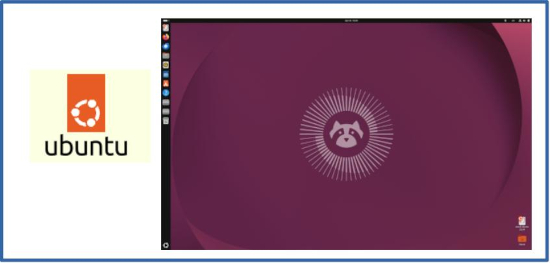
The reasons come down to the decisions made by Canonical over the years. Canonical is the company behind Ubuntu. It supports and develops the product.
At various times, Canonical has shifted its focus between desktop and server versions of the product. (In fact, they even announced they were abandoning the deskop version at one point, only to take it up again later.)
They also have a large number of products they support (about 15 at last count). These make it clear that Canonical's first priority is not their free desktop product. Its focus is on its paying corporate customers.
Worst of all, the company has changed its default user interface several times: from Gnome 2 to Gnome 3 (well before that product was ready for prime time), to Unity, and back to Gnome again. Many desktop users have been so frustrated with these changes that they abandoned Ubuntu for other distros.
At times, it seems that Canonical thinks it should lead its desktop users to where it thinks they should be, rather than listening to them and meeting their needs. In this respect, it's rather like Microsoft with its constant (often unwanted) "improvements" to its user interface.
Finally, in refurbishing you need an OS that uses minimal resources. That's not Ubuntu. The Ubuntu family variant that most closely reaches that goal is Xubuntu (the version with the Xfce user interface). But whenever I've benchmarked it, I've found Xbuntu less resource efficient than Mint with Xfce.
Why Mint?
Linux Mint has long offered three different user interfaces: Xfce, Cinnamon, and MATE. All run on the same base product.
Mint is based on Ubuntu -- but its focus is strictly on the desktop user. The Mint team's efforts are directed by what desktop users say they want (not by corporate customers, or the whims of its developers).
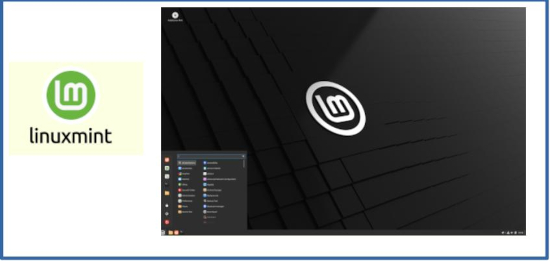
Thus it's not surprising that Mint has a long track record for stability and reliability.
Mint installs on nearly any computer, up to 20 years old. It runs fast on nearly any multicore computer (those are up to about 15 years old). And it supports nearly any device or peripheral.
Unlike Windows or Google ChromeOS Flex, you don't have to worry about a compatibility list. Just install Mint/Xfce, and it will nearly always work.
And unlike those competitors, Linux Mint gives you total privacy. You don't have to log in with a Windows Account or Google Account to use it. Vendor logins are designed to strip you of any privacy.
Why Xfce?
Xfce is one of several user interfaces you can choose when you install Linux Mint. It has been part of Mint for over a decade.
Xfce offers key advantages for computer refurbishing over alternatives:
* Zero learning curve for Windows users
* Reliable, bug-free
* Stable (new releases and interface changes are rare)
* Very light resource use
* Excellent for older computers
Whenever I've benchmarked Xfce versus alternatives like Gnome, KDE, and Cinnamon, Xfce always comes out the winner in resource efficiency and responsiveness. This is what is required to run fast on mature computers.
Conclusion
I've been refurbishing computers for end users for two decades. Along the way I've benchmarked several likely distros and user interfaces, and tested dozens of others.
I've also gotten a good feel for what interfaces naive end users like, and what they don't like. (They don't like user interfaces that require training, and they don't like systems that require maintenance.)
Windows, Ubuntu, ChromeOS Flex, Puppy Linux, and antiX are all great products, and are often the best choices for other purposes.
But for refurbishing multicore computers, Mint with Xfce can't be beat.
Related Articles
Here's how I refurbish computers --
The Ultimate Guide to Computer Refurbishing
The Ultimate Guide To Fixing Computer Hardware
How to Restore an Old Single Core Computer
antiX Review
Puppy Linux Review
ChromeOS Flex Review
Don't Refurbish with Windows!
Linux --
How to Identify Linux Performance Bottlenecks
How to Upgrade Linux PC Hardware
How to Shrink PDF Files
How to Traverse Directories in Scripts
How to Use PUSHD and POPD
Reclaim Big Disk Space by File Conversions
Linux Performance Tips
Bash to Python Mapping & Comparison
====> Like this free article? Please spread the link love to Slashdot, LXer, or wherever. Thank you.
Back to RexxInfo.org